What do we need to do to apply for the BBE-Held BOPA?
Step 1 — Sign in to your account
If it’s the first time you’re logging into the new site, please head to the
Sign In page and click ‘Forgot password’ to reset your account details.
You should receive an email with a link to reset your password. If nothing comes through,
please let us know at [email protected].
If you’re already linked as a Band Administrator, you’ll see the organisations you manage when you log in.

Step 2 — Select your band
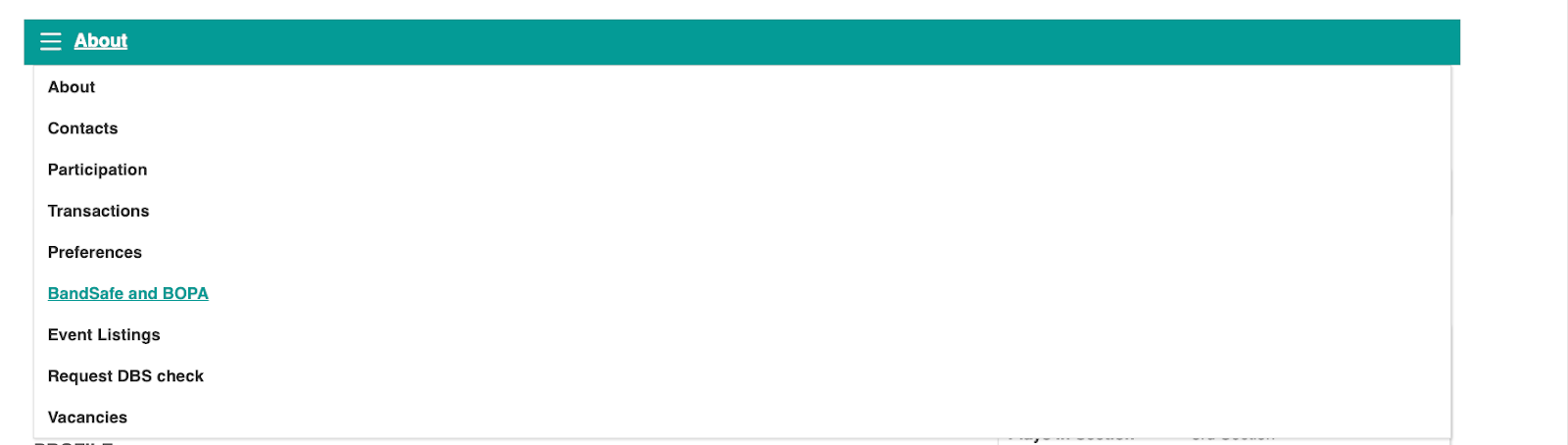
Once you’ve clicked through to the correct band, select
‘BandSafe and BOPA’ from the drop-down menu.
Step 3 — Review your BandSafe and BOPA information
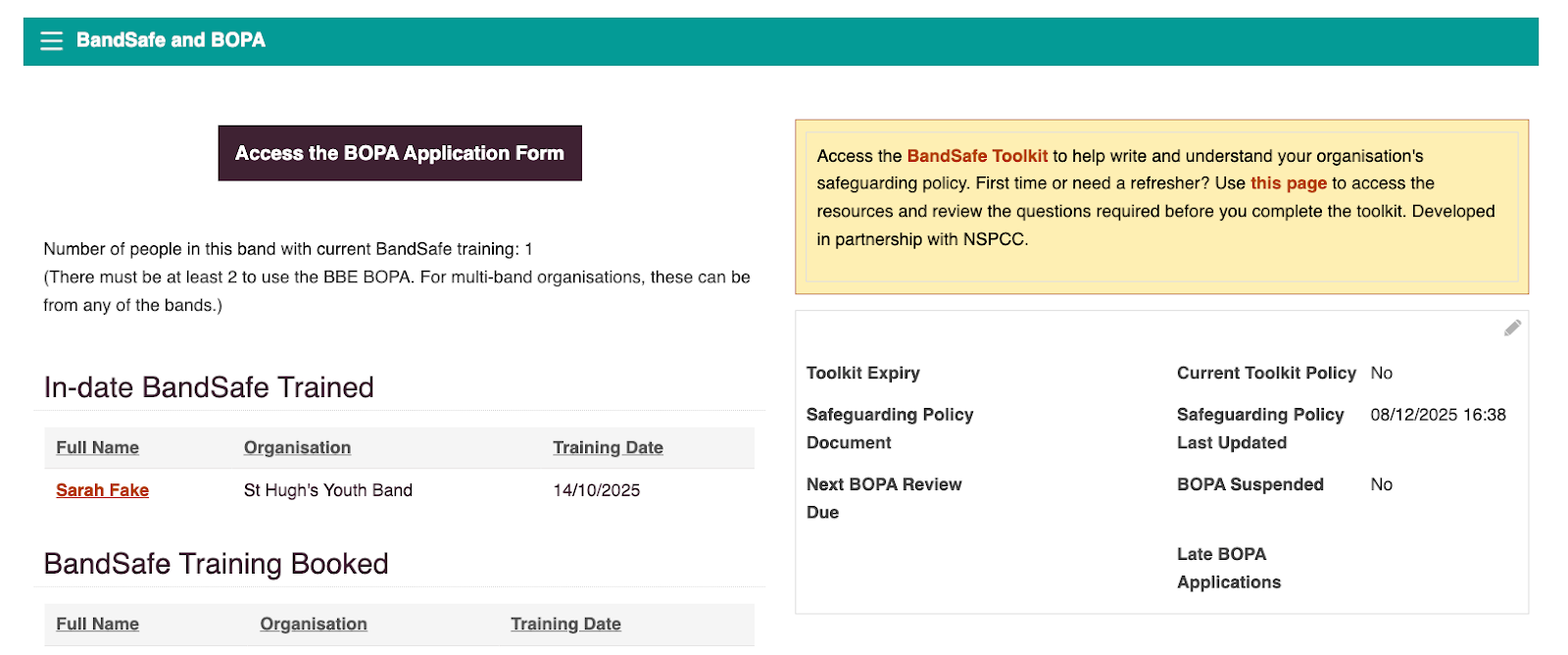
From here, you can:
- See whether you are currently eligible to apply
- Access links to complete the BandSafe Toolkit and view BandSafe resources
- Upload your current safeguarding policy for review
- View which members of your band have in-date BandSafe training, and who has training coming up
We’re still adding previous training records, so don’t worry if you don’t see them yet — they’re on their way.
If you need access to the BOPA urgently, please email
[email protected] and we’ll prioritise this for you.
Step 4 — Complete the BandSafe Toolkit and upload your safeguarding policy
In order to apply for the BOPA for the first time on the new site, we’ll need you to complete the BandSafe toolkit and upload your Safeguarding Policy to your account.
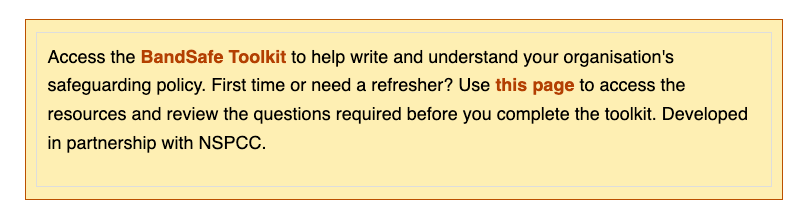
To apply for the BOPA for the first time on the new site, you’ll need to:
- Complete the BandSafe Toolkit
- Upload your safeguarding policy to your account
Once you’ve worked through the toolkit questions, upload your safeguarding policy and select
‘Submit for Approval’.
Step 5 — Access the application form
When you meet the eligibility requirements, an
‘Access the BOPA Application Form’ button will appear on your account page.
Step 6 — Complete the application form
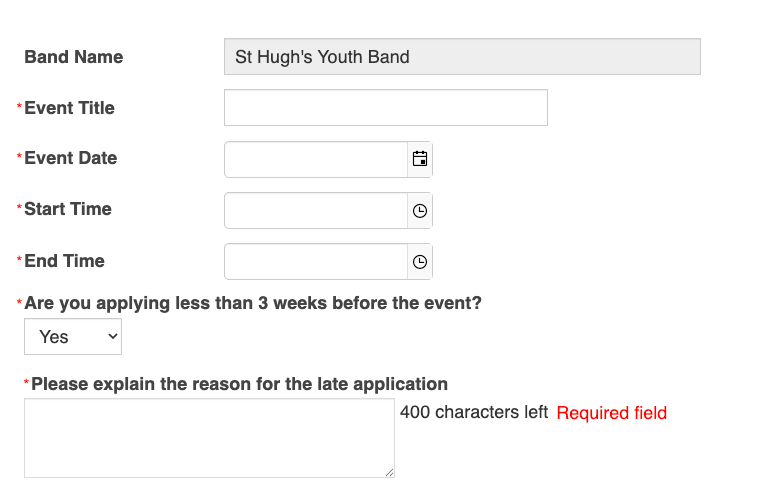
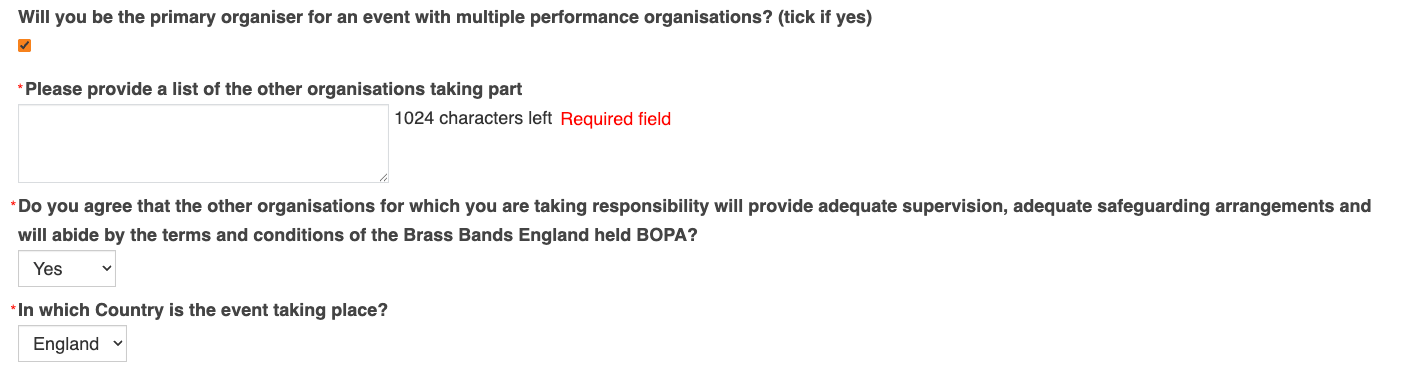
Most of the application process remains the same, however there are a few additional questions, including:
- Confirming whether the application is being submitted within three weeks of the event (and why)
- Whether the event involves multiple organisations
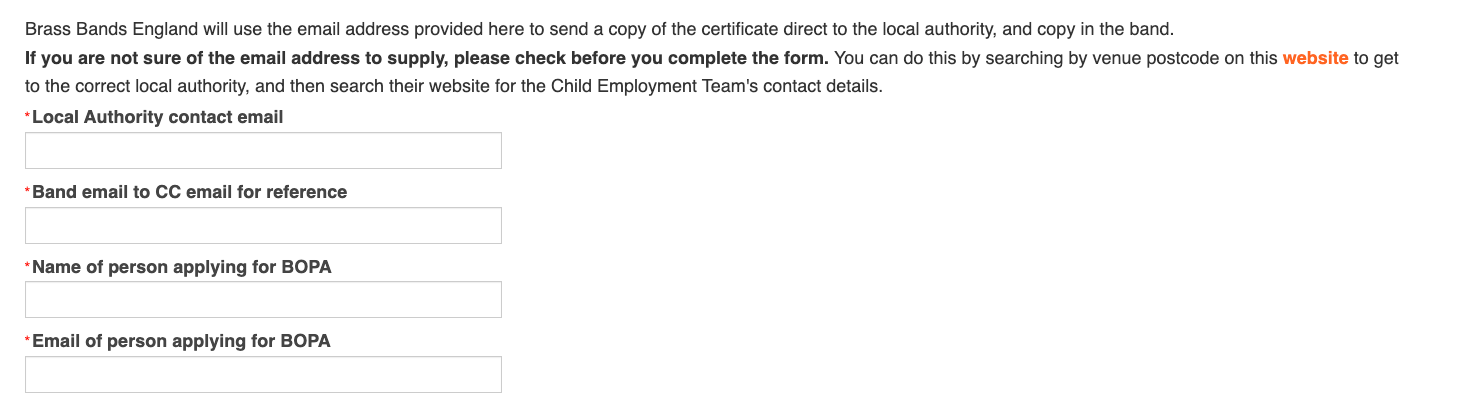
Step 7 — Provide Local Authority contact details
You’ll also be asked to include the email address for the
Local Authority Child Employment Team.
Our system will automatically email the certificate to them, as well as to you.